Your kids’ league, our platform.
A football app that runs your youth league from the first fixture to the final whistle: fixtures across your pitches, matchday scoring with scorers, tables, cups, and player cards the kids will show their friends. Parents hold the accounts, your staff run the season, and there is no adult-to-child chat anywhere in the product.
 PFA Academy7520+1617
 BCoE7511+1216
 FC Bangkok7412+713
 AFA Sports7322+411
 NM Mazda FC7223−58
 Ballers Pro7115−114
Four kinds of partner, one season each
Youth academy
Four age groups, two pitches, and a coordinator drowning in WhatsApp. Run every division from one place, under your badge.
International school
Inter-house or inter-school leagues with safeguarding your child protection lead can sign off on the first read.
Club with pitches
Turn quiet Saturday-morning slots into a kids’ league with your name on it. Fixtures fill the pitches you already own.
Community or parent-run league
No staff and no software budget. One parent coordinator, one phone, and the season runs.
Running a kids’ league today means being the information desk
Fixtures live in a spreadsheet. Scores live in a coach’s phone. Parents ask “when is the match” in four WhatsApp groups and someone answers each one by hand. By week six nobody is sure of the table.
The football is good. The admin is eating the people who run it.
- ×One WhatsApp group per team, the same question in each
- ×Fixtures rebuilt in a spreadsheet after every pitch change
- ×Scores texted to a coach, lost by Monday
- ×Tables updated by hand and disputed by parents
- ×No record of a child’s season once it ends
Every line above is a screen in the app below, and a job your coordinator stops doing by hand.
Age groups, divisions, and every format a season needs
Set up U8, U10, U12 and U14, split each into divisions, and pick a format per competition. 5-a-side or 7-a-side. A twelve-week league, a one-day cup, or both stacked in the same season. Every format below is in the product now, not on a roadmap.
U8, U10, U12, U14
Development mode on for the two youngest groups: fixtures and a child’s own results, no published table. BPYC runs the same idea as birth-year divisions, 2018 to 2013.
5-a-side and 7-a-side
One 11v11 turf like S107 splits into 7v7 and 9v9 pitches — the schedule fills whatever you have.
Six ways to run a competition
- 01Round RobinEvery team plays every team. The twelve-week league.
- 02LadderChallenge up, defend your rung. Good for U14 evenings.
- 03Group StageSmall groups, short matches, everyone plays all day.
- 04KnockoutStraight bracket, penalties as decider.
- 05Group Stage + KnockoutA full cup weekend, groups on Saturday, bracket on Sunday.
- 06King of the PitchWinner stays on. Festival days and end-of-season parties.
Divisions inside each age group
Split a 16-team age group into Division 1 and Division 2 with promotion between them, or mirror BPYC’s birth-year model — 2018, 2017, 2016, 2015, 2014, 2013 — one division per year. A 5-a-side U8 festival and a 7-a-side U14 league can run in the same season, on the same pitches, under one badge.
What a BPYC parent would see on a Saturday
The eight competition screens: the league hub and cup bracket carry real Bangkok data exactly as published, the league table runs an example season across eight real clubs — four of them provided their crests for this page — and everything else is a clearly-marked example. The layout, chips and cards are from the app that is live today; BPYC is shown as an illustration and is not (yet) a partner.

The league hub — your badge, your term, your divisions
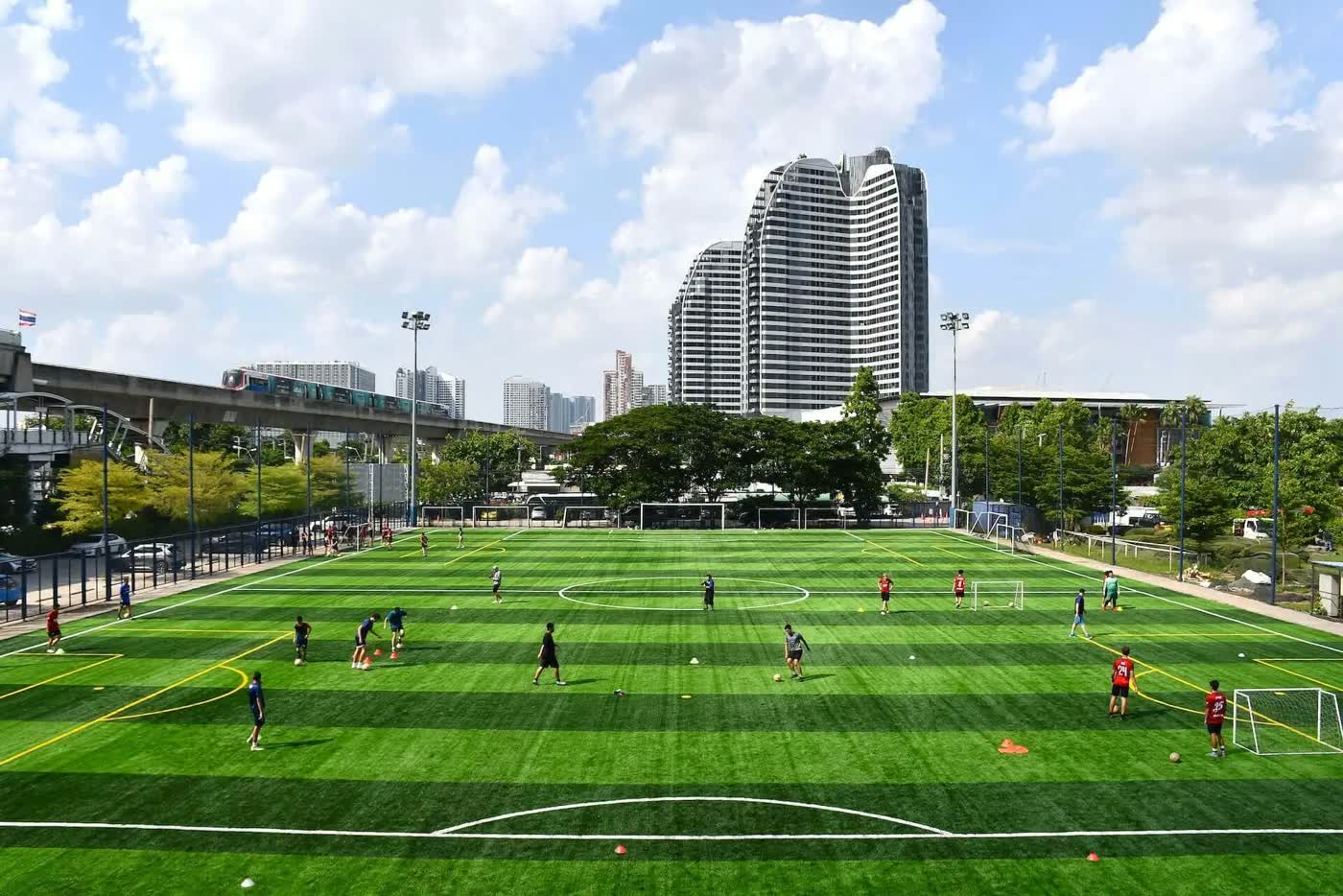
One screen holds the whole league: the crest, the current term, every birth-year division and the home venue. This is BPYC as the league itself publishes it — six divisions, 2018 to 2013, termly seasons at St Andrews S107.
- Birth-year divisions a parent understands at a glance — no jargon, just their child’s year
- Last term’s champions stay on the hub all season: 2018 FCB · 2017 Jim Thompson · 2016 FCB
Divisions, venue and next term as published by BPYC / FC Bangkok Academy (fcbangkok.com).
PFA Academy7520+1617BCoE7511+1216FC Bangkok7412+713AFA Sports7322+411NM Mazda FC7223−58Ballers Pro7115−114A full example season across eight real clubs
BPYC’s real four — BCoE, FC Bangkok, Futboys and Suksawat United — joined by four clubs that provided their crests for this page: PFA Academy, AFA Sports Academy, Nakhonratchasima Mazda FC and Ballers Pro Football Academy. The results are illustrative, shown with the full played, won, drawn, lost, goal difference and points columns a parent sees mid-season.
- A child’s own team row highlights in claret — “your child’s team” is always one glance away
- For U8 and U10, development mode hides this screen entirely while fixtures and own results stay
The league’s real published U13 table today (P · Pts · GD): BCoE 4 · 12 · +7, FC Bangkok 4 · 6 · +17, Futboys 4 · 6 · +6, Suksawat United 4 · 0 · −34 — BCoE via Pitchero (league table 179852). Champions strip: BPYC / FC Bangkok Academy, as published.
PFA AcademyFUTFutboys31FT
AFA SportsFC Bangkok22FT
BCoENM Mazda FC20FT
Ballers ProSSUSuksawat Utd40FT
BCoE11FT
PFA AcademyAFA SportsKICK-OFFSAT 9AM
Fixtures by pitch and kick-off slot
Tell the app your pitches and Saturday slots and it generates the round-by-round schedule — here, the closing fortnight of the example season across eight real Thai clubs, with the season cup queued behind it. A highlighted row marks your child’s match; a reschedule ripples to every parent instantly.
- “My team” tab filters the whole round to the one match a family actually needs
- Kick-off cards say the pitch, not just the time — no more “which pitch are we on” at 07:52
Clubs and venue are real — four crests provided by their clubs; dates, times and scores are illustrative.
BCoEFC Bangkok- Poom S.8'
- Jun H.33'
- 41'Leo W.
Scored on the touchline, confirmed in one tap
Goals per half, scorer names, penalties as a decider — entered from a phone at the pitch. On save, the table recalculates and a FULL TIME card lands in every parent’s feed. The score and every scorer here are fictional; the two crests are the division’s real front-runners.
- Scorers appear as first name + initial only — on every public view, for every child
- Player of the match is a claret moment a nine-year-old screenshots for the group chat
Illustrative match. No published BPYC match centre is reproduced — the league’s own pages carry children’s names, so they are deliberately not reused.
 BCoE U122FCB U120BCoE U121FCB U121
A real Bangkok cup, round for round
This is the actual U12 Boys Cup bracket from BIYFF 7s 2026 — Ascot beat BCoE 3–1 in the final at KMITL, FCB took bronze. The product runs the same shape for your one-day cup: groups in the morning, bracket in the afternoon, Cup, Shield, Plate and Bowl tiers so every team plays for something.
- Teams are labelled club + birth year, exactly as the tournament publishes them — never a child’s name
- Losing the semi doesn’t end the day: the bronze match and the lower tiers keep every squad playing
Bracket: BIYFF 7s 2026 (Bangkok International Youth Football Festival) — BSL Tournaments, via CupManager’s open results.
A Golden Boot race parents actually follow
Goals, assists and clean sheets per division, updated the moment a result is confirmed. Your own child’s row is highlighted wherever they rank — third place feels as personal as first.
- Clean sheets get their own tab, so the quiet defender is celebrated like the striker
- First name + initial on every row — a leaderboard that never leaks a surname
All names are fictional examples; clubs are the division’s real clubs.
A player card a ten-year-old wants to open
A skills radar across six attributes, an overall from 50 to 100, a tier that climbs from Sunday League towards Academy, and development badges that land as they are earned. For the youngest groups, badges sit ahead of goal counts — the quiet defender gets recognised as much as the striker.
- Each child designs their own avatar, kit and number — the card is theirs, not a database row
- Kids’ tiers stop at Academy: the ladder motivates without pretending anyone is a pro at eleven
Entirely illustrative player. Attributes and badges are the product’s real mechanics.
The whole league between Monday and Saturday
Season setup, fixture generation across pitches and slots, results to confirm, consent to track, announcements to send — one queue instead of eleven WhatsApp threads. Coaches and referees get scoped staff roles; parents see the output, never the machinery.
- Photo consent is per child and off by default — the console shows it as a first-class switch
- Development mode for the youngest divisions is one toggle, changeable mid-season
Division structure as published by BPYC; approval queue and all people are illustrative.
One league, one badge, one card at a time.
Four of the same screens side by side, no tapping required — the real BIYFF cup final, an example season table across eight real clubs, and two more marked examples from the same product chrome.
Five steps from a blank season to awards night
Age groups, divisions, teams and squads. Your badge and colours on the league. We do this with you in the first week.
Coaches get staff roles. Parents get a link, create the account, add their child. Photo consent is asked once, per child.
Tell it your pitches and kick-off slots and it produces the round-by-round schedule. Move a match and every parent’s list updates.
A coach enters goals per half and scorers from the touchline. Penalties are recorded as a decider. FULL TIME goes to the feed on save.
Tables recalculate on every result. The cup bracket runs from group stage to final. Awards close the season and land on player cards.
Scroll sideways through the season.
Bangkok already plays like this. The admin just hasn’t caught up.
The Bangkok Premier Youth Championship has run termly seasons at St Andrews S107 for years — six birth-year divisions, floodlit turf, real clubs, real tables. Screens above show its published data as an illustration of what your league looks like on the platform. BPYC is not (yet) a partner. Four more clubs — PFA Academy, AFA Sports Academy, Nakhonratchasima Mazda FC and Ballers Pro Football Academy — provided their crests for the example season shown.
 JT
FUT
SSU
BPYC · FC Bangkok · BCoE · Ascot · Jim Thompson · Futboys · Suksawat United · PFA Academy · AFA Sports · NM Mazda · Ballers Pro
JT
FUT
SSU
BPYC · FC Bangkok · BCoE · Ascot · Jim Thompson · Futboys · Suksawat United · PFA Academy · AFA Sports · NM Mazda · Ballers Pro
Nobody texts the score to anybody.
Score it on the touchline. Parents see FULL TIME before the kids have their boots off.
A coach or referee enters goals per half and taps the scorer’s name. If a cup tie goes to penalties, the app records the decider. When the result is saved, the table recalculates and a FULL TIME card lands in every parent’s feed. The coordinator’s phone stays in their pocket.
- 01Goals per half, scorers per match, penalties as decider
- 02Entered from a phone on the touchline
- 03Table and bracket recalculate on save
- 04FULL TIME card pushed to the feed on save
- 05Parents see their own child’s result first
See it in the match centre screen above — BCoE v FC Bangkok, marked example.
A player card a ten-year-old wants to open
Every child gets a card: a skills radar across pace, shooting, passing, dribbling, defending and physical, an overall from 50 to 100, and a tier chip that climbs from Sunday League to Academy and beyond. For younger groups, development badges sit ahead of goal counts, so the quiet defender gets recognised as much as the striker.
The card itself is the seventh screen above — Mika T., a marked example.
- 01Skills radar: PAC, SHO, PAS, DRI, DEF, PHY
- 02Overall rating from 50 to 100
- 03Bronze, silver, gold and platinum chips within each tier
- 04Development badges: first clean sheet, most improved, fair play
- 05Rankings need a minimum number of matches
- 06Each child designs their own avatar, kit and number
Between matchdays, the league keeps living
Competitions are half the app. The other half: a feed parents follow instead of a group chat, and open sessions you publish — holiday clinics, friendlies, development hours — that fill your quiet pitch hours between matchdays.
PFA AcademyBallers ProCommunities — the feed replaces the group chat
A FULL TIME card the moment a result is confirmed, organiser announcements, and consent-gated team photos — parents cheer from the feed instead of asking the same question in four chats.
- Parents follow the league, not a group chat — results and announcements land in one feed
- No adult-to-child messaging anywhere: chat is parent ↔ organiser and team groups only
Open matches — publish sessions, fill quiet hours
Holiday clinics, friendlies and development sessions with age-group chips, spots left and one-tap booking by the parent. Open sessions are events — spots and joining — and league fixtures never work like this; only open sessions do.
- Age-group chips and a claret spots-left bar — a parent books in two taps
- Quiet pitch hours become clinics, friendlies and development sessions under your badge
No adult can message a child. There is no such chat.
Safeguarding by design, on before the first fixture
The rules a school’s child protection lead asks about are on before anyone opens a settings menu. The account belongs to the parent. Children appear as a first name and an initial. No adult can open a private chat with a child, because the product has no such chat.
The parent holds the account
Every child profile sits under a parent or guardian login. The child never creates an account, never enters an email, never sets a password.
No adult-to-child messaging
Chat exists between a parent and an organiser, and inside team groups. There is no direct message between a staff account and a child profile, so there is nothing to police.
Photo consent per child
Each child has their own consent switch, off until a parent turns it on. No consent, no face in any feed post or FULL TIME card.
First name and an initial
Public views show Arjun P., not a surname, a school or a date of birth. Full names stay with the parent and the organiser.
Development mode for the youngest
One switch per age group hides league tables and standings, in line with non-competitive youth football. Parents still see fixtures and their own child’s results.
Minimal data
We store what a fixture list needs: a first name, an age group, a team, and a parent’s contact. Nothing is sold, and export or deletion is a request away.
Development mode follows the FA principle for the youngest age groups: collect results, do not publish tables. Staff roles are assigned by you as the partner; your own police-check and welfare-officer process stays yours. Guardian consent is captured at profile creation, designed around Thailand PDPA s.20 and the parent-consent thresholds in COPPA, UK and EU GDPR and Singapore PDPA. That is a design intent, not a certification.
What your staff use between Monday and Saturday
Your coordinator sets the season up once, then runs it from one place each week: divisions, fixture generation across your pitches and kick-off slots, results, tables, cup draws, awards, and messages to parents by team or age group. Staff roles decide who can score, who can edit and who can only view.
- 01Season setup: age groups, divisions, teams, squads
- 02Fixture generator across pitches and kick-off slots
- 03Reschedule once, every parent’s fixture list updates
- 04Cup draw, bracket and awards from one screen
- 05Announcements to a team, an age group, or everyone
- 06Roles for coordinator, coach and referee
The console is the eighth screen above — BPYC’s real division structure, with an example approvals queue.
First season on us. We set it up with you.
We are taking a small number of founding partners for the first youth seasons. Season one carries no platform fees, we build the league with your coordinator before kick-off, your badge and colours sit on every league screen, and a named person answers your chat. In return, your season teaches us what to fix.
The app is live for adult 5-a-side in Bangkok today — on the call you hold a working product, not a slide deck.
- Season one free of platform fees
- We set up the league with your coordinator before kick-off
- Your badge and colours on the league and its screens
- Named organiser support, replies inside a working day
- A monthly feedback call; you shape the youth roadmap
- No exclusivity and no minimum number of teams
What academy directors ask on the first call
These six come up on every first call. If yours is not here, bring it to the call and we will answer it there.
Q1How is children’s data handled?+
Q2Who owns the league data?+
Q3Can we use it for a one-off cup instead of a full season?+
Q4Do parents need the app?+
Q5What about the youngest age groups and league tables?+
Q6How fast can we launch?+
Bring one age group. We will set up its season with you.
Pick the age group that gives you the most admin. On a 30-minute call we set up its divisions and fixtures in the app, on your phone, and you decide from there. No slides, and no contract to read before you have seen it work.